
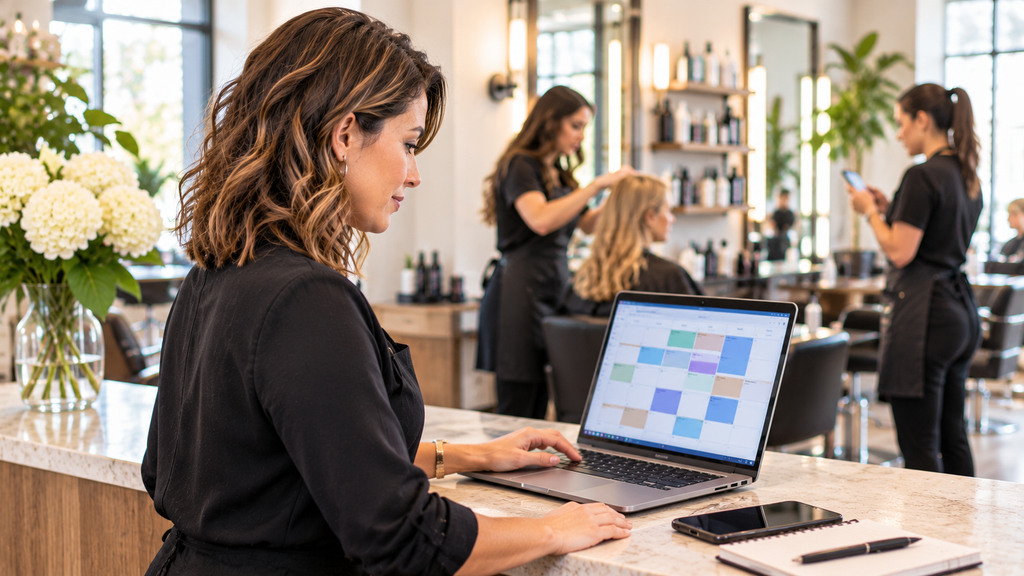
Managing salon appointments and staff schedules is one of the most important parts of running a successful hair or nail salon.
When multiple stylists or technicians share customers, workstations, and daily appointments, scheduling can quickly become complicated. Employees may receive overlapping bookings, customers may have to wait, and some team members may end up with more appointments than others.
For independent salon owners, the challenge is not simply filling every available time slot. It is making sure that the right employee is available for the right service at the right time.
A well-organized scheduling process helps reduce booking conflicts, improve staff coordination, and create a better experience for customers.
Here are seven practical ways to manage salon appointments and staff schedules more effectively.
1. Create a Clear Weekly Staff Schedule
Before accepting appointments, you need to know when each employee is available.
Independent salons often have different working arrangements. Some stylists work full-time, while others work part-time, have fixed days off, or adjust their schedules depending on customer demand.
Start by creating a weekly staff schedule that includes:
- Each employee’s regular working days.
- Daily starting and finishing times.
- Lunch breaks and scheduled rest periods.
- Regular days off.
- Approved vacation and personal leave.
- Temporary changes to working hours.
Make sure everyone knows where to find the latest schedule.
It is also important to update availability as soon as changes are approved. If an employee takes a day off or changes their working hours, their unavailable time should be reflected in the appointment calendar.
This prevents customers from booking appointments when their preferred stylist or nail technician is not available.
2. Set Realistic Appointment Durations for Every Service
One common scheduling mistake is giving every service the same amount of time.
Different salon services require different appointment durations. A basic haircut may take 30–45 minutes, while a full hair coloring or balayage service may require several hours.
Nail services also vary. A basic manicure, gel manicure, and full set of nail extensions should not automatically receive identical time slots.
Create a service duration list based on your salon’s actual experience.
For example:
| Salon Service | Suggested Duration |
|---|---|
| Basic Haircut | 30–45 minutes |
| Blowout & Styling | 30–60 minutes |
| Root Touch-Up | 60–90 minutes |
| Full Hair Coloring | 120–180 minutes |
| Basic Manicure | 30–45 minutes |
| Gel Manicure | 45–60 minutes |
| Full Set of Nail Extensions | 90–120 minutes |
These are starting estimates. Adjust them according to service complexity, employee experience, and your salon’s working procedures.
Remember to allow sufficient time for preparation, cleanup, and workstation turnover when necessary.
Accurate service durations help prevent overlapping bookings and give employees enough time to complete their work properly.
3. Use One Shared Calendar for the Entire Team
When several employees work in the same salon, using separate notebooks, spreadsheets, or personal calendars can quickly lead to confusion.
A shared appointment calendar gives salon owners and managers a complete view of daily operations.
Ideally, your calendar should allow you to:
- View appointments for all employees in one place.
- Identify which employee is assigned to each appointment.
- See available and occupied time slots.
- Recognize scheduling conflicts.
- Reschedule or cancel appointments.
- Review daily and weekly booking activity.
Color-coding appointments by employee can make the calendar easier to understand.
For example, a salon owner should be able to check the day’s schedule and immediately see which clients are booked with each stylist, where available time slots remain, and whether any employee has too many appointments scheduled close together.
A shared calendar also makes it easier to handle unexpected changes. If someone calls in sick, management can quickly identify affected appointments and contact customers to arrange alternatives.
The goal is to maintain one reliable scheduling record rather than relying on disconnected sources of information.
4. Match Customers With the Right Employee
Not every employee provides every service, and not every customer wants to see the first available person.
Some clients prefer a particular hairstylist because of their previous experience. Others may request a technician who specializes in nail extensions, nail art, or specific treatments.
Your appointment process should account for these preferences.
Consider four important factors when assigning appointments:
Employee skills: Make sure the assigned employee can perform the requested service.
Customer preferences: Record the customer’s preferred stylist or technician whenever possible.
Service requirements: Check that the employee has enough time to complete the service.
Workload distribution: Avoid assigning every high-demand appointment to the same employee while others remain underbooked.
For salons that accept walk-in customers, establish a fair process for distributing clients among available employees.
A consistent assignment process reduces misunderstandings between employees and helps customers receive the service they expect.
5. Adjust Staff Schedules Based on Customer Demand
A good staff schedule should reflect when customers actually visit your salon.
Many salons experience higher demand on Friday afternoons, Saturdays, and before major holidays. Weekday mornings may be quieter.
If you schedule the same number of employees every day without considering customer demand, you may end up with too many employees during slow periods and insufficient coverage during busy hours.
Review your appointment history to identify:
- Your busiest days of the week.
- The hours with the highest booking volume.
- Services that require longer appointment slots.
- Employees who regularly receive repeat bookings.
- Periods when cancellations and empty slots are more common.
Use this information to adjust working hours and staffing levels.
For example, if Saturday appointments regularly fill up while Tuesday mornings remain quiet, consider arranging additional coverage on Saturdays and fewer overlapping shifts on Tuesday mornings.
However, avoid scheduling employees so tightly that there is no room for unexpected delays, walk-ins, or last-minute customer requests.
A practical schedule should balance customer demand, employee availability, and reasonable working conditions.
6. Connect Online Booking With Actual Staff Availability
Salon owners and receptionists can spend a surprising amount of time answering calls, checking employee availability, and responding to booking requests through social media.
This manual process becomes particularly difficult when customers want to make appointments outside normal business hours.
Online booking allows customers to view available services, select their preferred employee, and choose an available appointment time without waiting for someone at the front desk.
For salon owners, this can reduce repetitive administrative work and make appointment management more consistent.
When choosing an online booking system, look for:
- A service menu with individual appointment durations.
- Employee selection during the booking process.
- Availability based on actual staff working hours.
- Automatic booking confirmations.
- Appointment rescheduling and cancellation options.
- A booking link that can be shared through your website and social media profiles.
Most importantly, online booking must reflect actual employee availability.
If an employee has a scheduled day off or approved time away, those unavailable hours should not appear as bookable appointment slots.
Appointment scheduling and staff scheduling should work together, not operate as two separate processes.
7. Use Salon Management Software to Coordinate Your Team
As your salon becomes busier, managing appointments, employee working hours, customer information, and schedule changes manually becomes increasingly difficult.
A dedicated salon management platform can bring these daily activities together.
One option worth considering is SupaDay, a salon management platform designed for hair salons, nail salons, spas, and other beauty businesses.
Its scheduling and appointment features include:
- Shared team calendar: View appointments across employees in day, week, and month views, with color-coded staff schedules.
- Staff working hours and time off: Employees can manage their working hours and time off through their own accounts.
- Real-time calendar updates: Changes to appointments and employee availability are reflected in the shared team calendar.
- Flexible service durations: Set appointment durations for individual services.
- Recurring appointments: Create repeating bookings for regular customers without entering every appointment manually.
- Online booking: Customers can choose services, select an employee, and book available time slots online.
- Automatic reminders: Send appointment confirmations and reminders to help customers remember their bookings.
These tools help connect customer appointments with the actual availability of your team.
Instead of relying on separate spreadsheets, messages, and handwritten schedules, salon owners can manage more of their daily operations through one platform.
If you want to explore how the platform works, visit SupaDay Salon Management Software.
You can also explore SupaDay’s features and start a 30-day free trial. The trial does not require a credit card.
A Simple Daily Scheduling Routine for Salon Owners
Even with good software, consistent scheduling habits remain important.
A simple daily routine can help prevent many avoidable problems.
Before opening:
- Review the day’s appointments.
- Check employee attendance and availability.
- Identify long services and potentially tight appointment gaps.
- Confirm any schedule changes.
During business hours:
- Update appointment statuses when necessary.
- Record cancellations and rescheduling.
- Check staff availability before accepting walk-in customers.
- Communicate unexpected delays to affected clients.
Before closing:
- Review the next business day’s appointments.
- Check whether employees have changed their availability.
- Identify unfilled appointment slots.
- Follow up on unresolved scheduling issues.
This routine does not need to be complicated. The important thing is to keep appointment information accurate and make sure everyone is working from the same schedule.
Final Thoughts
Managing salon appointments and staff schedules effectively requires more than simply filling available time slots.
Salon owners need to coordinate employee working hours, service durations, customer preferences, appointment availability, and daily schedule changes.
A clear scheduling process helps reduce booking conflicts, improve employee workload distribution, and create a more reliable experience for customers.
As your salon grows, a shared calendar and online booking system can make these responsibilities much easier to manage.
The right salon management software should help you spend less time coordinating schedules and more time focusing on your customers, employees, and business growth.
Affiliate Disclosure: This article contains affiliate links. If you purchase or sign up through these links, BeautyBizHub may earn a commission at no additional cost to you. Our recommendations are intended to help independent beauty professionals evaluate business tools and make informed decisions.