
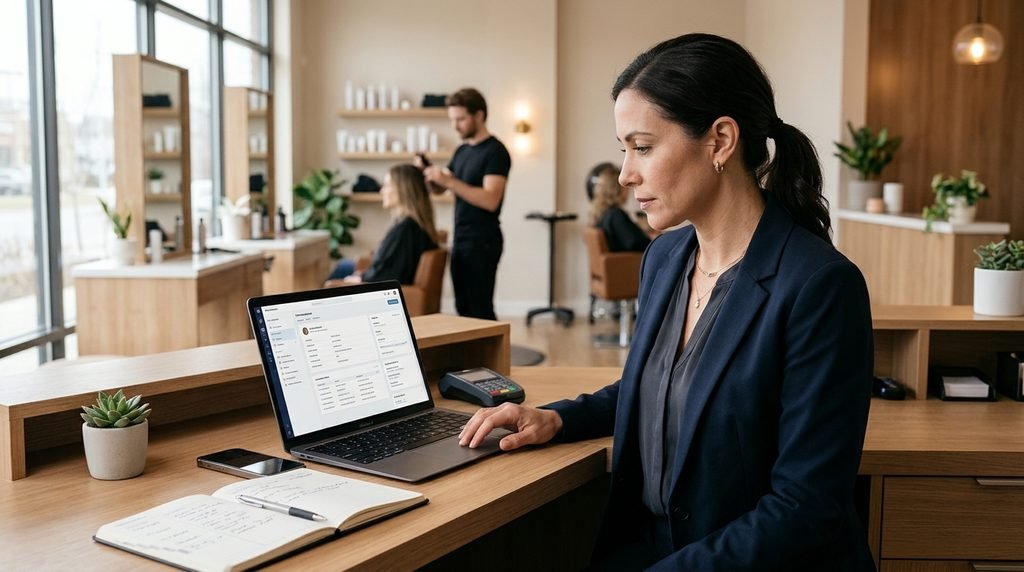
Running a successful salon involves more than managing appointments and providing great services. You also need a reliable way to organize customer information, remember service preferences, and keep track of previous visits.
As a salon grows, customer details can easily become scattered across appointment books, spreadsheets, text messages, and employees’ personal phones. This makes it harder to find information, prepare for returning customers, and maintain consistent service.
Effective salon client management starts with organized customer records. A simple, consistent system helps salon owners and employees access relevant information, understand customer preferences, and manage daily operations more efficiently.
The goal is not to collect as much information as possible. It is to keep the right information accurate, accessible, and useful.
1. Create One Central Record for Every Customer
The first step in organizing salon customer records is to establish one central place for client information.
Without a consistent system, customer details may be stored in several different places:
- Paper appointment books
- Individual employee notebooks
- Personal phone contacts
- Text message conversations
- Separate spreadsheets
- Different booking applications
This makes it difficult to find the latest information and increases the risk of inconsistent records.
For each customer, maintain a basic profile containing:
- Full name
- Phone number
- Email address
- Relevant service preferences
- Important customer notes
- Communication preferences
Keep the information focused on what your salon actually needs to provide and manage its services.
For example, a hair salon may need to remember a customer’s preferred stylist and general styling preferences. A nail salon may want to record a preferred nail shape, favorite polish brand, or previous service request.
A central customer profile makes these details easier to find when the customer returns.
2. Keep Customer Information Accurate and Updated
Creating customer profiles is only the beginning. Information must also be maintained over time.
Customers change phone numbers, email addresses, and communication preferences. If your records are outdated, appointment confirmations and reminders may not reach the right person.
Establish a simple process for updating customer information.
When a new customer visits:
- Confirm the customer’s name and contact information.
- Check whether an existing profile is already available.
- Record relevant preferences and service-related notes.
- Confirm the customer’s preferred communication method.
During future visits:
- Ask whether contact details have changed.
- Update preferences when customers request changes.
- Correct incomplete or inaccurate records.
- Remove information that is no longer necessary.
Make updating customer information part of the normal check-in or checkout process.
This small habit prevents outdated records from accumulating and reduces the need to correct information later.
3. Record Customer Preferences and Service Notes
Customer notes can make a significant difference in the quality and consistency of salon services.
However, notes are most useful when they are specific, relevant, and easy for employees to understand.
Avoid vague comments such as:
- Likes good service.
- Regular customer.
- Prefers a friendly stylist.
Instead, record practical details that can help employees prepare for the next visit.
Hair Salon
- Preferred stylist
- General hairstyle preferences
- Frequently requested services
- Relevant product or styling preferences
Nail Salon
- Preferred nail shape
- Favorite polish colors or brands
- Previous service preferences
- Customer-requested adjustments
Lash and Brow Studio
- Preferred treatment style
- Relevant service preferences
- Previous appointment notes
- Customer-requested adjustments
Skincare or Esthetics Business
- Preferred treatments
- Relevant product preferences
- Customer-requested service adjustments
- Other details needed for appropriate service preparation
Keep notes professional and factual. Collect only information that is relevant to your services, and handle personal or sensitive information carefully.
A useful customer note should help an employee answer one practical question:
What should I know before serving this customer again?
4. Separate Customer Profiles From Individual Appointment Notes
One common customer management mistake is putting every detail into a single customer record.
Some information applies to the customer over time. Other information relates only to a particular appointment.
These two types of records should be treated differently.
Customer profile notes contain information that may remain useful across multiple visits, such as:
- General service preferences
- Preferred communication method
- Long-term customer requests
- Other relevant details about the customer
Appointment notes contain information related to a specific booking, such as:
- A service request for that visit
- A special instruction
- An adjustment requested by the customer
- An internal note about that appointment
For example, a customer may generally prefer a particular nail shape but request a different design for one specific appointment.
Keeping these details separate helps employees distinguish between ongoing preferences and temporary instructions.
It also makes customer records easier to maintain as the relationship develops.
5. Track Customer Appointment History
A customer profile tells you who the customer is. Appointment history helps you understand their previous interactions with your salon.
Being able to find previous bookings is useful when:
- A customer asks when they last visited.
- An employee needs to review a previous service.
- The salon needs to check whether an appointment was completed or cancelled.
- A manager needs to investigate a scheduling question.
- A customer wants to repeat a previous service.
For a small salon, searching through old paper records or message conversations can take unnecessary time.
A searchable appointment history makes this process more manageable.
Useful search and filtering options include:
- Customer name or email address
- Appointment date range
- Appointment status
- Service
- Assigned employee or service provider
Reviewing customer appointment history can also help the salon identify returning customers and understand service patterns.
However, appointment history should complement customer profiles rather than replace them. Both serve different purposes.
6. Prevent Duplicate Customer Records
Duplicate customer profiles are a common problem when several employees manage appointments or customers book through different channels.
For example, a customer may initially book online using an email address and later visit the salon as a walk-in using a phone number.
If employees do not check existing records, they may create two separate profiles for the same person.
Over time, this can result in:
- Fragmented appointment history
- Repeated customer information
- Conflicting contact details
- Inconsistent communication preferences
- More time spent searching for records
To reduce duplicate records, establish a few simple rules:
- Search by customer name, email, or phone number before creating a new profile.
- Confirm whether a new customer already has an existing record.
- Use consistent naming and contact information.
- Update existing records instead of creating new ones unnecessarily.
- Review customer records periodically for duplicates.
Using salon software with duplicate-record warnings can make this process easier.
7. Establish Clear Customer Record Responsibilities
Customer information should not depend entirely on the salon owner remembering everything.
If multiple employees serve the same customers, the team needs a consistent approach to maintaining records.
Establish clear responsibilities for everyday customer management.
Front desk or reception staff:
- Confirm customer contact details.
- Check for existing profiles.
- Update basic customer information.
- Record relevant customer requests.
Service providers:
- Review relevant customer notes before appointments.
- Add useful service-related information when appropriate.
- Communicate important changes to the appropriate team members.
Salon managers or owners:
- Establish record-keeping standards.
- Review information quality.
- Manage employee access according to their responsibilities.
- Make sure customer information is handled appropriately.
Keep the process simple enough that employees can follow it during busy periods.
A short, consistent procedure is usually more effective than a complicated record-keeping policy that nobody has time to maintain.
8. Use Salon Software to Manage Customer Profiles and Booking History
Paper records and spreadsheets may work when a salon has only a small number of customers. However, maintaining them becomes more difficult as appointment volume and team size increase.
Salon management software can bring customer profiles and appointment information into a more organized workflow.
When evaluating a salon management system, look for practical capabilities such as:
- Centralized customer profiles
- Customer contact information
- Customer notes and preferences
- Customer search
- Duplicate-record warnings
- Appointment history
- Appointment status tracking
- Customer communication preferences
One option worth exploring is SupaDay, a salon management platform that includes customer profile management and searchable booking history.
SupaDay allows salons to maintain customer profiles containing names, email addresses, phone numbers, notes, and email or SMS notification preferences.
Customer profiles are generally created when someone books an appointment or checks in. Salon staff can also add customers manually and update existing profile information.
The platform checks for potential duplicate customers when a new record is entered, helping staff identify an existing profile before creating another one.
SupaDay also provides a searchable booking history. You can look up appointments by customer name or email address and filter records by date range, appointment status, service, or provider.
This makes it easier to review previous bookings without relying entirely on paper appointment books or old messages.
Customer profile notes and appointment-level notes are maintained separately, allowing salons to distinguish between general customer preferences and instructions for individual bookings.
If you are looking for a more organized way to manage customer profiles and appointment records, you can explore SupaDay Salon Management Software.
You can also explore SupaDay’s features and start a 30-day free trial to see whether its customer management and booking tools fit your salon’s workflow. The trial is advertised without requiring a credit card.
9. Build a Simple Routine for Maintaining Customer Records
Even a good customer management system needs a consistent operating routine.
The following checklist can help small salon teams maintain more reliable customer information.
When a new customer visits:
- Search for an existing profile.
- Confirm the customer’s contact information.
- Create a profile if one does not already exist.
- Record relevant preferences and requests.
Before each appointment:
- Review the customer’s profile.
- Check relevant previous appointment information.
- Confirm any special requests for the current visit.
After each appointment:
- Update relevant customer preferences if necessary.
- Add useful appointment-specific notes.
- Make sure the appointment status is accurate.
At regular intervals:
- Review incomplete customer profiles.
- Correct outdated contact information.
- Check for duplicate records.
- Review customer communication preferences.
- Make sure employees follow the same record-keeping process.
The objective is to make customer record maintenance part of everyday salon operations rather than a separate administrative task that gets postponed.
Frequently Asked Questions About Salon Client Management
What information should a salon keep about each customer?
A salon should generally maintain the customer’s name, contact details, relevant service preferences, useful notes, and communication preferences. Appointment history should also be accessible so employees can review previous visits when needed.
Only collect and retain information that is relevant to the business and appropriate to keep.
How do small salons organize customer records?
Small salons can start with a consistent customer profile system. Each customer should have one central record, updated contact information, clear service-related notes, and accessible appointment history.
A spreadsheet may be sufficient for a very small operation, while salon management software can make records easier to search and maintain as the business grows.
Why is customer appointment history important?
Appointment history helps salon employees review previous bookings, identify completed or cancelled appointments, answer customer questions, and understand returning customers’ service patterns.
It also reduces the need to search through old messages or paper records.
Can salon software store customer preferences and notes?
Some salon management platforms include customer profiles with notes and communication preferences. For example, SupaDay allows salons to store customer contact details and free-text notes in customer profiles, while individual appointment records can contain separate booking notes.
Is salon client management the same as salon appointment scheduling?
No. Appointment scheduling focuses on booking and organizing appointments. Client management focuses on maintaining customer information, preferences, communication details, and service history.
The two processes work together. Organized customer records help employees prepare for appointments and provide more consistent service.
Final Thoughts
Organized customer records are an important part of running a professional salon.
When customer information is scattered across different tools and employees’ personal records, even simple tasks can become unnecessarily difficult.
Start with one central profile for each customer, keep information accurate, organize service notes, and make appointment history easy to find.
As your salon grows, consider using salon management software to make these processes more consistent.
A well-organized customer record system saves administrative time and helps your team deliver a more reliable experience every time a customer returns.
Affiliate Disclosure
This article contains affiliate links. BeautyBizHub may earn a commission if you sign up through our links, at no additional cost to you.